

|
|
+ Product list → CommView → TamoGraph → Wi-Spy → Chanalyzer → WLAN Pi → Nomad → MetageekApp → ProfiShark → IOTA → tap products → Dualcomm → penetration training equipment → password recovery → Side channel fault injection → Wireshark |
|
Wireless LAN access point detection tool
|
 US OSCIUM (formerly metageek) official distributor
Ikeriri sells, supports, and maintains the Wi-Spy/Chanalyzer/MetageekApp series. Not only can we offer low agent prices, but we also provide maintenance and support based on our extensive wireless LAN-related technology. Please give me inquiry(→Online) ! ! |
|
|
The inSSIDer series will be discontinued in May 2022.
Easily visualize your floor Wi-Fi environment and increase network speed
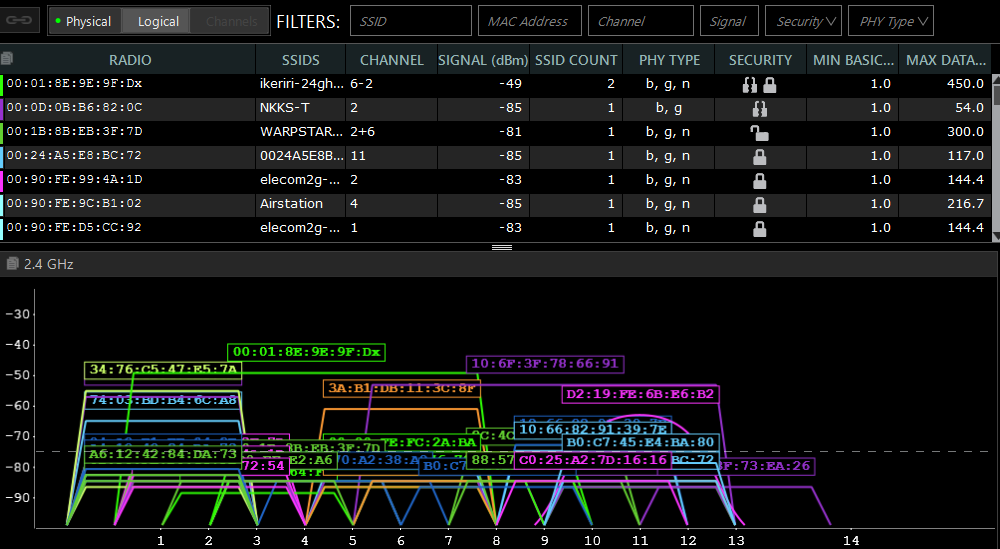
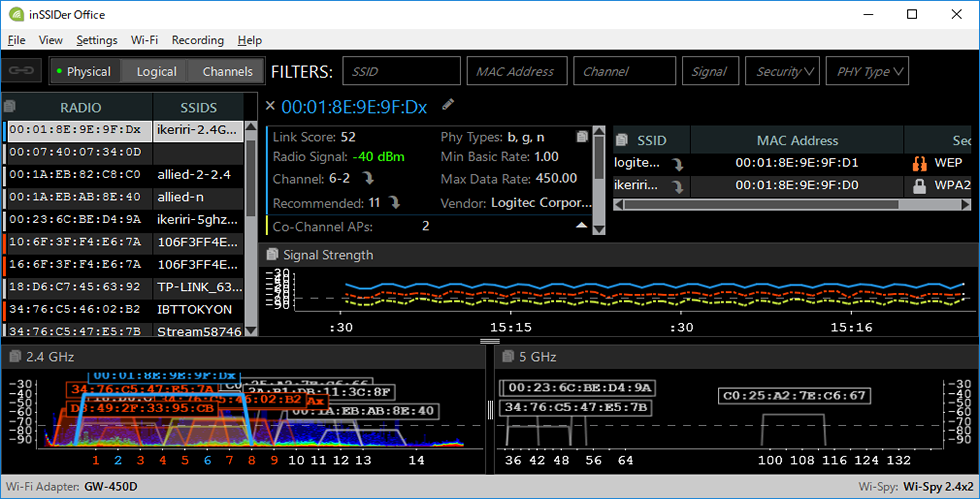
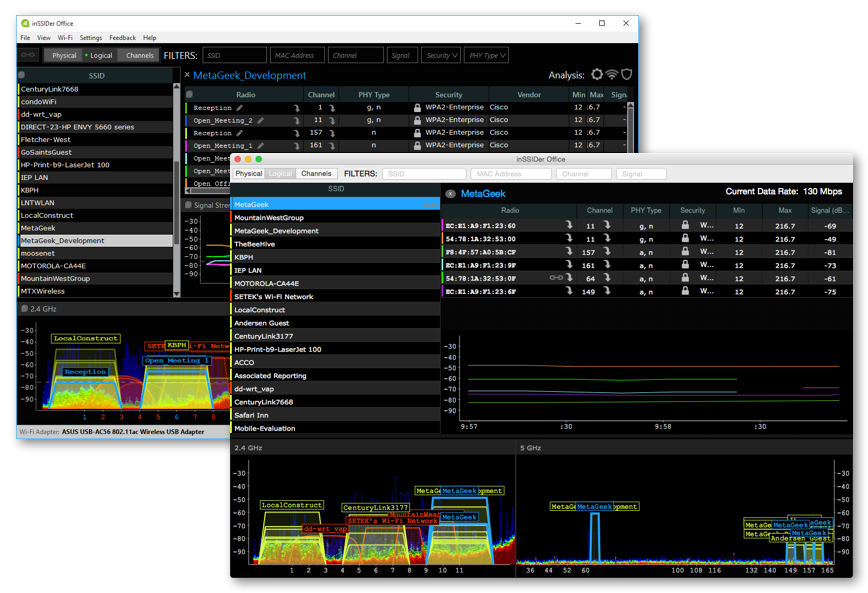
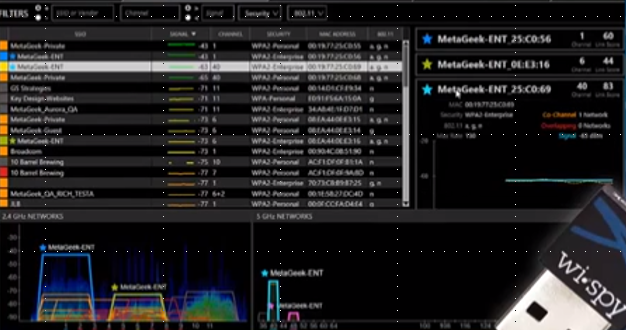
inSSIDer for Office can probe your Wi-Fi network by simultaneously searching multiple networks to discover bad channels, areas with weak signals, and areas that are noisy.
With the new version, you can now easily copy and paste information such as SSID/BSSID/signal strength/security/speed/channel usage rate. Also, due to the discontinuation of Wi-Spy Mini, we recommend using it with Wi-Spy DBx.
|
|
|
|
|
What you can do by combining InSSIDer for Office and Wi-Spy DBx
|
|
linkスコアの定義By using Wi-Spy Mini, which is used at the same time as InSSIDer For Office, you can measure and investigate external waves that use the 2.4GHz band other than wireless LAN (IEEE802.11).You can evaluate the performance of your wireless LAN by using inSSIDer for Office and Wi-Spy Mini. This is the only way to evaluate the wireless LAN including external waves in a wireless LAN environment where multiple channels are operated. The link score is evaluated on a scale of 100 and can be used as a reference when designing and constructing a wireless LAN. You can also use link scores to compare networks and find the best channels. |
Predictive wireless LAN discoveryinSSIDer for Office はエンドユーザーに対するnetworkの予測を立てるのに役に立ちます。オフィスの中のnetworkの様相は常に変わってきます。また建物中といっても、無線 LAN networkは沢山の外来波や干渉に影響されています。近隣の事務所や建物のnetworkの更新によって通信にトラブルが発生することもよくあります。また、Bluetooth 、ワイヤレスマイク、ワイヤレスカメラetc.のノイズによってconnection問題がある場合もよくあります。inSSIDer for Office はこのような状況において、複数のチャンネルを同時に調査してtroubleshootingを可能にする初めてのnetwork環境調査及び設計toolです。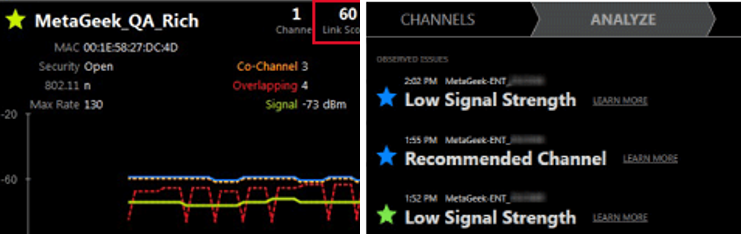
当該CHおよび周辺CHのaccess pointの状況をまとめて確認できます。 トラブルシュートについてのアドバイスを取得することができます。 |
Measuring noise in the surrounding environmentBy using inSSIDer for Office and Metageek's Wi-Spy Mini, you can measure the miscellaneous state of the surrounding environment and find out where the problem is, which channel, and where the affected band is. |
分析したい探索箇所をより簡単にinSSIDer for Office has a new analysis tab. This is like a network wizard at its simplest. It automatically investigates the network for a certain period of time, presents problems faced by the network, and suggests solutions. By referring to the Analysis tab, you can examine the network and dynamically analyze its contents to automatically detect detailed problems and obtain countermeasures via messages. For example, it can tell you if there's a better WiFi channel available, or point out issues like overlapping or overlapping channels and tell you what to do next. |
summary
|
|
|
The inSSIDer series will be discontinued in May 2022. From now on, please consider the $500 annual Metageek Enterprise Subscription, which includes subscription-based Chanalyzer/EyeP.A./Tonic. Please お問い合わせ for details. |