VMware Hypervisor Virtualization Introduction Seminar
(code:vmware1) |
1 day
(10:00-18:00)
|
Learn the Overview and structure of the Virtualization platform through hands-on training.
We will actually operate and confirm the
definition, type, and components of host-type and hypervisor-type Virtualization.
We will confirm the design, construction, and operation of the Virtualization Environment by actually setting up the
hypervisor-type Virtualization server, installing the
management server, installing the guest OS, and
allocating resources.
Check migration and
high reliability design that utilizes Virtualization |
★Distribution
・vSphere ESXi trial version
・vCenter trial version
・Resume material
・CD-ROM
・USB memory
・Ikeriri bag magnet
★Lunch box
★Equipment used
・One PC per person
・VMWare Player
・vSphere ESXi server
vCenter and guest OS
・LAN cable/router
・Network Environment
・Whiteboard
・Projector |
|
Learn Virtualization technology through hands-on training.
Learn about the definition, types, and components of Virtualization.
Install and configure a hosted Virtualization Environment.
Learn the flow of designing and building a system using Virtualization
Understand the system of VMWare ESX Server and vCenter.
We will design Virtualization, actually install a guest OS on the ESX server, configure resources such as storage, network, memory, and CPU, and install Virtualization Environment.
We will introduce and confirm hot migration and HA cluster failover with redundant server configurations and shared storage using actual machines so that they can be used in practical environments. |
What is Virtualization?
Components, technologies, and types of Virtualization
Introduction of hosted Virtualization products
Installation, settings, and operation confirmation of hosted Virtualization Environment
Hypervisor-type VirtualizationEnvironment
Virtualization infrastructure design
VMware ESX server (vSphere) installation
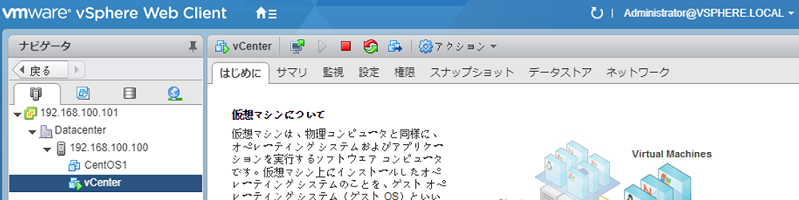
Installation of vCenter Server various management tools
CPU/memory Virtualization and resource management by vSphere
Check the mechanism and settings for allocation of memory, CPU, etc.
|
Virtualization of storage and resource management with vSphere
Confirm the mechanism of vmdk and storage handling and settings in practice
Virtualization of network and resource management in vSphere
Confirm the configuration and settings of virtual NICs, switches, and VLANs in practice
Creation and management of virtual machines
Confirm virtual machine deployment, configuration, and settings through practical exercises
Live migration
High availability features using vSphere clusters
Introducing dynamic placement and resource utilization optimization using clusters
|